

Every Xero environment is configured differently, and no two businesses use HubSpot in exactly the same way. That’s why off-the-shelf integrations rarely deliver what’s needed.
We take a consulting-led approach. Our team works with you to understand your specific Xero product setup and the data flows that matter most to your business. We then design and build a tailored integration using our Integration Glue Framework, ensuring a clean, scalable, and reliable connection between HubSpot and Xero.
The result: your teams get access to the right data in the right place, without manual entry, duplication, or compromise.
Common Use Cases
- Syncing invoice data from Xero into HubSpot, allowing for real-time visibility of payment status
- Feeding deal and contact data into Xero, helping accounting teams track sales progress
- Two-way invoice and payment status sync to ensure accurate financial reporting
- Connecting sales and accounting teams by streamlining data flow between HubSpot and Xero
The result: your teams get access to the right data in the right place, without duplication or compromise.

Gotchas, Challenges & Limitations

Data Model Differences
A common challenge is the data model difference for sole traders, where a single contact is both an individual and a company. This can cause issues with syncing if the data models are not aligned.
Xero App Limits
There are limitations on the number of connected portals a single Xero app can have (typically limited to 10). Additionally, different tiers of Xero pricing may limit the number of private apps that can be connected (often limited to 2).
Integration Options
Integrating HubSpot with Xero is not a one-size-fits-all exercise. Each business has unique processes, data models, and compliance requirements. With years of experience delivering complex HubSpot and financial system integrations, we know where the pitfalls lie and how to design solutions that work reliably at scale.
iPaaS & Automation Tools
iPaaS platforms and automation tools often look like the “quick fix.” In reality, they come with challenges:
- Expensive: subscription costs add up quickly.
- Constrained: limited flexibility, often unable to handle advanced requirements.
- Outdated: many don’t keep pace with the latest APIs and custom objects.
- Risky: builds frequently hit limitations mid-project, forcing pivots that cause delays and additional costs.
We’re happy to support other platforms, but because they often introduce limitations or unexpected roadblocks, we can’t provide fixed-price quotes or guaranteed timelines. For this reason, we strongly recommend locking in your integration scope, timeline, and delivery date before starting other parts of your project.
If you do choose a different tool, our HubSpot integration experts can still support you on a consulting basis, with blocks of hours available to guide your team through implementation.
.jpg "250820_Hype-73 (2)")

HubSpot Data Sync
Where Xero objects and fields are supported by HubSpot Data Sync (part of Data Hub), this is our recommended first option.
Data Sync offers a simple, native, and secure way to keep contact and company information aligned between systems with minimal configuration. It is fully managed by HubSpot, making it ideal for teams who want fast setup and low ongoing maintenance.
Because Xero’s API primarily focuses on financial data, Data Sync support is typically limited to core CRM records. Where businesses need to surface invoice or payment information in HubSpot, automate finance-related workflows, or sync data beyond contacts and companies, we can help extend HubSpot’s native integration capabilities with additional configuration or custom development.
Custom Integration Development
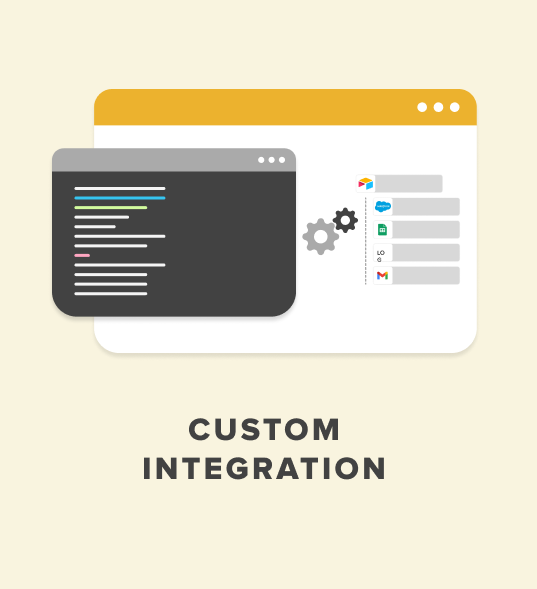
Some integrations require more than standard mappings or out-of-the-box tools can provide. When your Xero environment involves financial data, invoice workflows, multi-object relationships, or processes that must align tightly with HubSpot, we deliver a fully tailored custom integration built around your business operations.
Our custom development approach allows us to design integrations that connect directly to your data structure, accounting processes, compliance requirements, and reporting needs. This ensures a clean, scalable, and future-ready connection between HubSpot and your Xero organisation(s).
Integration Options Comparison
Our Approach
What Makes Our Approach Different
- Consulting-Led: We tailor every integration to your Xero instance and business needs.
- Future-Proof: built on the latest HubSpot APIs and objects, unlike many packaged tools.
- Delivered by Experts: all consulting, design, and development work is handled by Avidly’s experienced team.
- Cost-Effective: faster to build and maintain than iPaaS solutions, with lower long-term costs.
- Proven Framework: To accelerate development and maintain enterprise-grade reliability, our team builds on a structured internal integration framework that provides best-practice SDLC processes, secure hosting, version control, monitoring, and consistent development patterns.
This framework enables rapid setup, stable delivery, and simplified long-term maintenance, while still giving you a fully custom integration tailored to your Xero configuration and specific HubSpot requirements.
The result: a flexible, reliable integration built to last, delivered by experts who understand both HubSpot and Xero inside out.

Hosting, Monitoring & Maintenance
- GCP Logging: We use Google Cloud Platform (GCP) logging for standard monitoring and to track the integration's health.
- Xero Logs: Most interactions with Xero are explicitly logged within the Xero platform itself, which can be reviewed if necessary.
- HubSpot Logs: While generally less detailed than GCP logs, HubSpot's own logging can also be used for monitoring and troubleshooting.
All integration approaches, iPaaS, automation tools, and Integration Glue custom integrations, involve hosting costs. Integration Glue Custom Integration hosting typically starts from USD $99 per month. This can be tailored to your business needs (e.g. static IP addresses, custom network configurations) at an additional cost.
With Integration Glue Custom Integration Hosting, you’re covered for major HubSpot updates as well as generic security and framework improvements.

However, changes to how the integration functions, such as new mappings, transformations, or adjustments to your Xero platform, are not included in the hosting fee.
We’ve also seen with iPaaS and automation platforms that platform changes can cause delays, outages, or require configuration workarounds to keep systems running.
To avoid disruption, we recommend a maintenance contract to give you:
- Peace of mind: proactive monitoring and error detection
- Less downtime: quick response to issues before they escalate
- Future-ready integrations: small changes applied as your HubSpot or Xero setup evolves
- Continuous improvement: enhancements that keep your integration running smoothly and optimally